

 Use on unlimited websites
Make your website look and work without problems in all devices with our complete divi tool to tools. With more than 50 Functions, This complement improves the divi experience, providing unique settings and options to ensure that your site is receptive and easy to use on desktop computers, tablets and phones.
Customize column designs
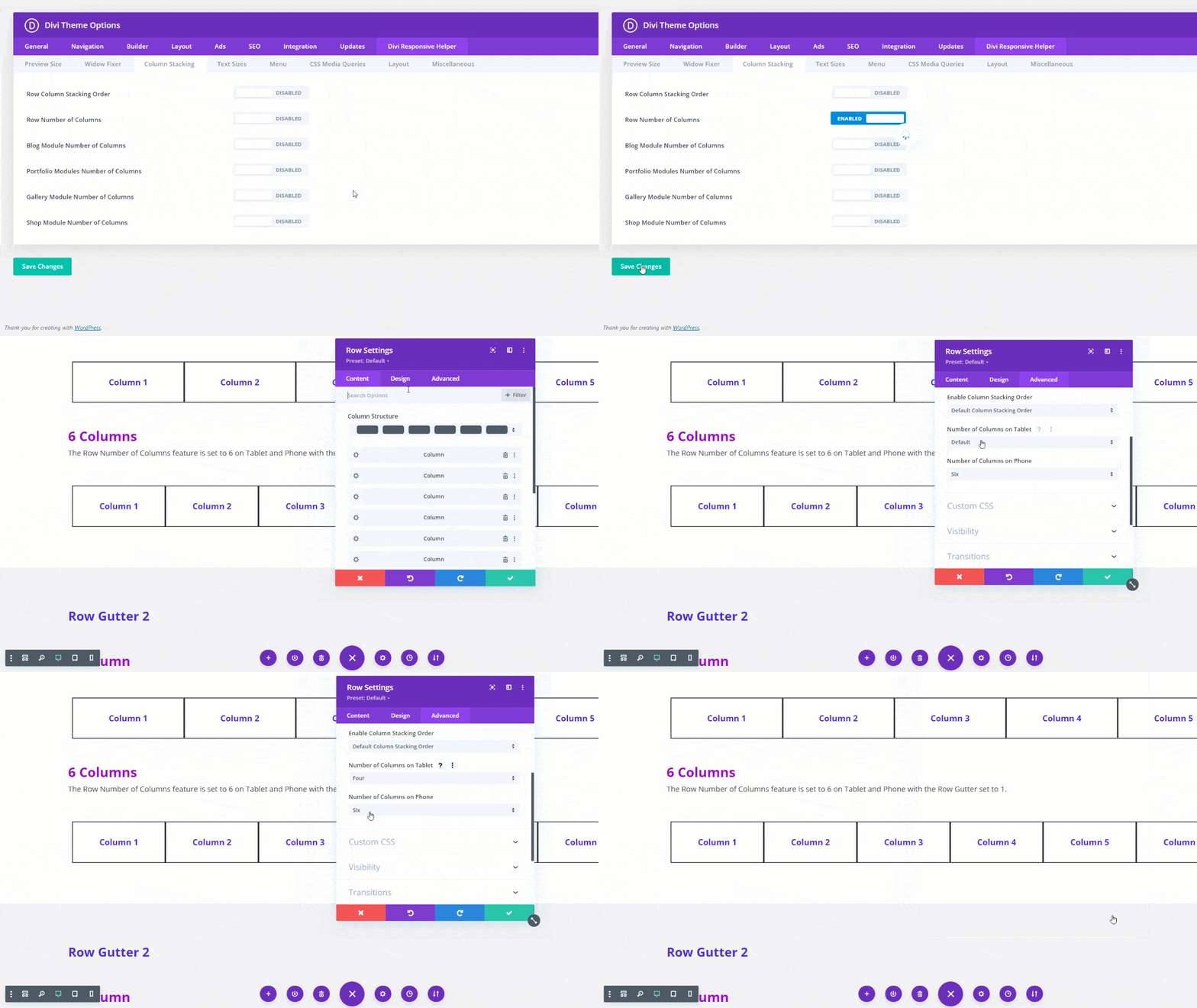
Con Divi Responsive Helper, You can easily adjust the number of columns for several modules, improving the visualization and functionality of its site. This includes the ability to establish custom column numbers for rows, Blog posts, Gallery images, Wooocommerce portfolio projects and products. Frustrating solutions or custom code are over, Only simple settings for your content to look great on any device.
Advanced Design Options
Our plugin offers a variety of design improvements, which allows you to customize the appearance of your site easily. Key features include:
- Adjustable gutter width for the ranks
- Widowing words prevention in the text
- Custom Prior View Sizes in Divi Builder
- Global text size configuration for all devices
- Personalized CSS Media Consultation Tables
These tools help ensure that your site design is consistent and polished in different screen sizes.
There are so many characteristics to explore
See full list of features (External website)
Improve mobile navigation
Improve mobile user experience with our broad mobile menu options. Our functions allow you to show a hamburger menu on the desktop, Choose personalized icons, Add text next to the menu icon and even open menus by default on the mobile. Besides, You can close the mobile menus by clicking off the drop -down menu, Contribute submenus and establish personalized interruption points for your menus to make sure they are perfectly shown on any device.
 Frequently asked questions
How does this plugin work?
This complement integrates new configurations directly into the existing Visual Builder Divi, improving global configuration in the topic options and specific module configuration.
Why isn't there a visual preview?
Divi cannot render a preview of our personalized configuration in the Visual Builder. Use two tabs to see the changes in the interface instantly after saving in the builder.
Does this work with the Divi Builder plugin?
This plugin is designed for the divi theme. The Divi Builder plugin alone is not compatible with the backend configuration provided by our plugin.
Does this work with the extra theme?
Yeah, Our plugin is compatible with the extra theme of Elegant Themes, offering the same configurations and extensive characteristics.
Will there be updates in the future?
Absolutely! We work continuously in new functions and improvements, providing automatic updates to all customers with active licenses.




Reviews